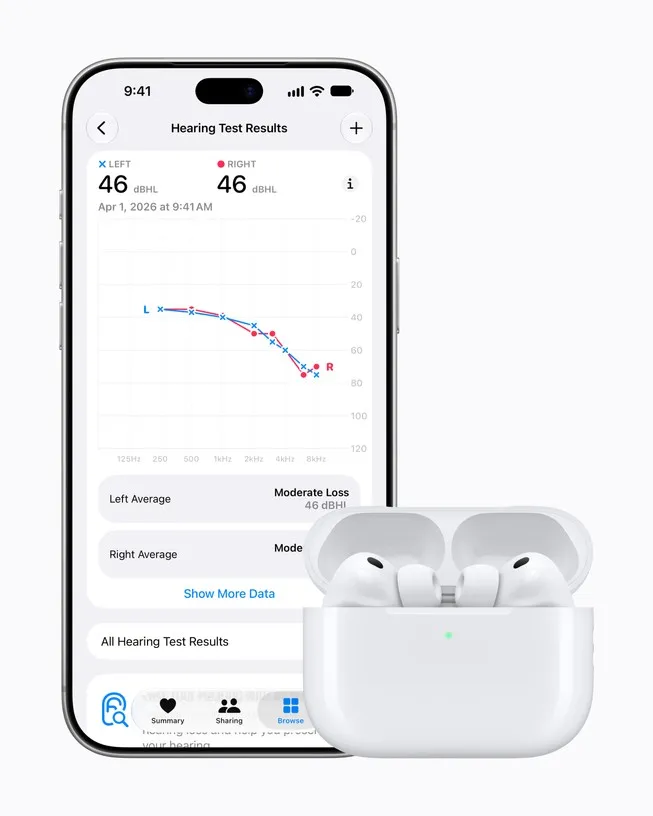
Apple’s hearing health features for AirPods Pro have arrived in Canada, but the most useful one depends on where you live.
Where it works
| Feature | Where |
|---|---|
| Hearing Test | Everywhere in Canada |
| Hearing Protection | Everywhere in Canada, on by default |
| Hearing Aid | Alberta, B.C., Saskatchewan, New Brunswick and P.E.I. |
The Hearing Aid feature is only offered where provinces allow hearing aids to be sold over the counter, without a prescription. Apple says it’s working with the other provinces to get approval. Ontario said last week it will allow over-the-counter hearing aids through an amendment in its fall economic update (our story). Quebec, Manitoba, Nova Scotia and Newfoundland and Labrador don’t have the feature yet either, iPhone in Canada notes.
What you need
- AirPods Pro 2 or AirPods Pro 3, on the latest firmware. AirPods Pro 3 cost 29 at Apple Canada.
- An iPhone or iPad on iOS 27.2 or iPadOS 27.2, which Apple released today.
- You have to be 18 or older. The Hearing Aid feature is meant for mild to moderate hearing loss.
How to set it up
Update your iPhone, put your AirPods Pro in, then go to Settings, tap your AirPods, and take the hearing test under Hearing Health, as iPhone in Canada lays out. It takes about five minutes and works best in a quiet room. You get a result for each ear and an audiogram, saved in the Health app. If you live in one of the five provinces, you can then turn on Hearing Aid, which uses that profile. You can also use an audiogram from an audiologist.
Apple stresses that the test isn’t a diagnosis. Anyone with severe or sudden hearing loss should see a doctor.
Why it matters: Nearly one in five Canadians report trouble hearing, Apple says, citing Statistics Canada. For people with mild loss in the five provinces, earbuds they may already own can now do part of that job. For everyone else, the free test is a quick way to find out whether it’s worth seeing an audiologist.